Instagram quietly added a new feature again! Stories’ new multi-shot Snapshot is here, and these 3 retro frames are just too pretty
The Stories feature I’m most excited to try first~

Key highlights
-
Instagram has introduced a new multi-shot snapshot feature for Stories, letting users layer up to four additional photos over a single background image.
-
The feature includes three built-in retro-style frames: a classic black frame, a simple white frame, and a gradient halo design.
-
As you create it, the system automatically arranges your 1-4 selected photos into a photo booth-style layout, eliminating the need for third-party editing apps.
-
This feature is perfect for travel outfits or get-togethers with friends, letting you create a Y2K-inspired layout in under a minute.
At first, we thought everyone was using some Japanese or Korean photo-editing app again. As it turns out, it’s a sticker feature Instagram quietly introduced in Stories. For anyone who loves sharing everyday moments on social media but doesn’t want to spend time arranging layouts and cropping photos, this new feature is a lifesaver.
- Related reading: Travel and make money at the same time? We found a newly launched app that means you’ll never have to wait for a personal shopper again!
How to find the new multi-shot snapshot sticker


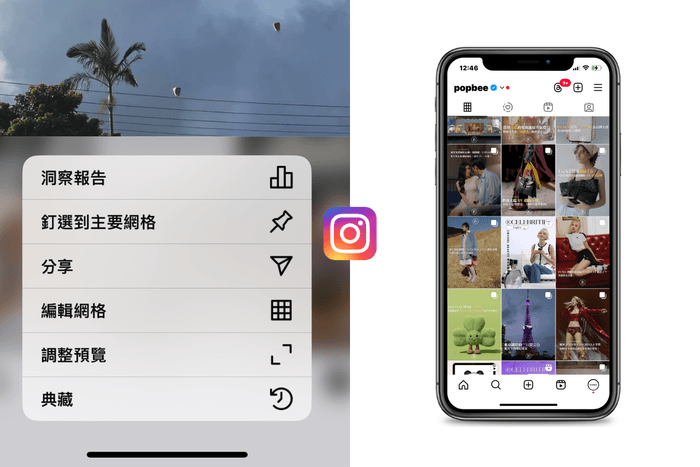
Step 1: As usual, choose a beautiful photo in Stories to use as the overall background. Step 2: Next, tap the toolbar on the right side of the screen. Open the sticker menu, and you’ll find the new film-camera icon alongside the usual photo, location, and Q&A stickers. Tap it to start creating. Step 3: Select up to 4 photos from your camera roll. Whether it’s an elaborate dessert you just photographed at a restaurant, details of that day’s OOTD, or goofy selfies with close friends, once you’ve selected your 1-4 photos, the system automatically arranges them into either a vertical strip or a four-photo booth-style grid.
In the past, creating this effect usually meant switching to another editing app and spending ages adjusting the borders and spacing. Now, you can do it right in the Instagram app without compromising photo quality. The process is much smoother and faster, hitting the sweet spot for people today who want polished results without sacrificing efficiency.
Switch freely between 3 built-in frame styles


Beyond the convenient layout tool, the biggest surprise from Instagram this time is the visual design of the frames and filters. Once the photos have been generated, simply tap the sticker to switch among 3 different frame styles.
The first is a distinctive classic black frame paired with a black-and-white filter, giving it the feel of film photography and making it a great match for street-style outfits. The second is a simple white frame with the clean, soft feel of a Korean photo booth. The third is a gradient halo frame that has been popular on social media in recent years. Its subtle, colorful neon glow adds a dreamy Y2K mood to the entire photo.
Instagram’s new feature has sparked a social media craze in a short time not only because it eliminates the hassle of post-production, but also because it taps precisely into younger generations’ love of retro photo booth culture. Try choosing a landscape or architectural photo with clean tones and a simple composition as your background, then alternate between close-up details and full-body outfit shots in the 3 photos in the middle. This way, even everyday snapshots will feel especially layered when placed in the same image. Try out the new feature on your phone and give your Stories a fresh new style.
Join POPBEE Circle and subscribe to POPBEE Newsletter to get the latest updates in real time, and be the first to hear about exclusive treats and discounts. On top of this article, here are a few more recent stories you should check out:
- K-celeb rhinestone makeup is unreal: no app needed, Gemini can create Y2K Bedazzling photos for you!
- More than just Ella and her millions of followers! MEOVV just hit their one-month debut anniversary, and all members' individual IG accounts are now public
- Once Valued at $4.8 Billion, Getty Images Files for Bankruptcy: Will We Still See Celebrities' Unfiltered Shots?